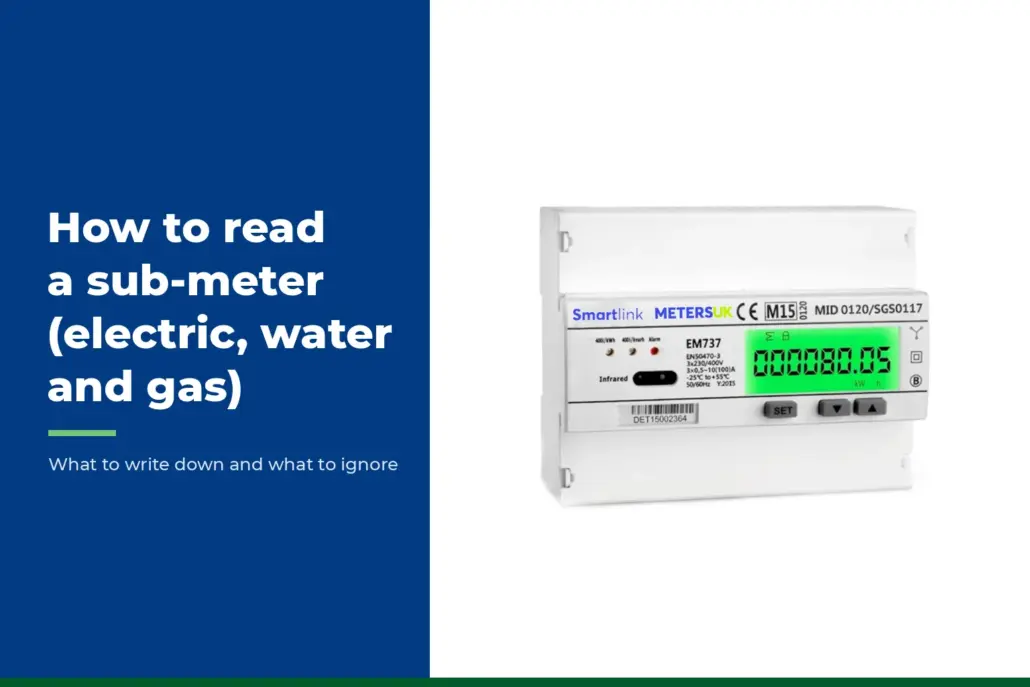
A sub-meter reading is only a number on a screen until someone writes it down. Write it down wrongly and the mistake follows the bill all the way to the tenant.
Billing arguments often start there, with a misread digit or a mixed-up unit. Reading a meter is easy once you know which digits count.
How do you read a sub-meter? Write down the main digits from left to right, ignore the red digits on most electric and gas meters, and note the date. Electric meters count kilowatt hours (kWh), water meters count cubic metres, and gas meters count cubic metres or hundreds of cubic feet. Bill on the difference between two readings.
Last updated: November 2026. Figures reflect published guidance as of this date. This article covers England, and Ofgem’s rules apply across Great Britain.
Key Takeaways
- A meter shows a running total, so the energy or water used is a closing reading minus an opening one.
- Citizens Advice tells households to ignore red digits on electricity and gas meters. Water meters work the other way, with red digits showing litres.
- Gas meters need one extra step. Convert the volume used into kWh using the calorific value on your supplier’s bill.
- A dated photo of the display, with the serial number in shot, is a simple way to back up every reading.
How Do You Read a Digital Electric Sub-Meter?
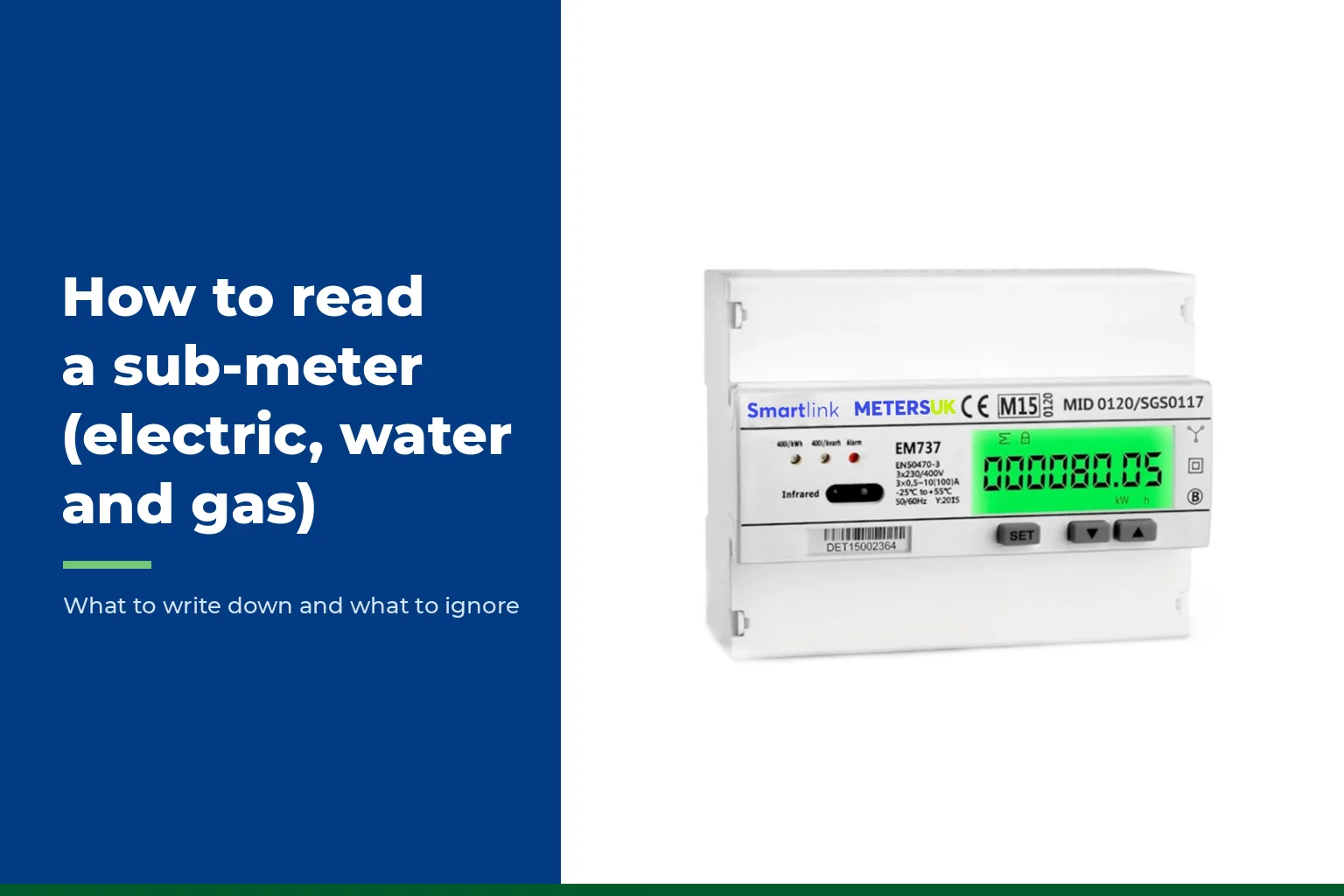
A digital electric meter works like the mileometer in a car. It counts up as energy is used. The number you want is the total energy used, in kilowatt hours.
Citizens Advice gives a simple rule for household meters. Write down the first five numbers from left to right and ignore the rest. If the display reads 750851, the reading is 75085, and the red number is ignored.
Sub-meters add a wrinkle. Many show two decimal places, so the display might read 01234.56. Pick one format before you start. Either log whole kWh or log both decimals, but never mix the two on one log sheet.
Some meters also cycle through other screens. These can show voltage, current or power in use. Make sure you are on the screen marked as total kWh. A figure in kilowatts (kW) is how fast energy is being used right now, and it can go up and down.
How Do You Read a Dial Meter?
On an electricity dial meter, read the first five dials from left to right and ignore any red dials or dials marked 1/10. Citizens Advice says adjacent dials turn in opposite directions, so check which way each one runs before you read it. If a pointer sits between two numbers, write down the lower one. If it sits between 9 and 0, write 9.
The tricky case is an electricity pointer sitting right on a number. Look at the dial to its right. If that pointer has not yet passed zero, the dial on the left has not really ticked over, and you should write the number below. Our guide to reading a meter dial shows it with pictures.
How Do You Read a Water Sub-Meter?
Many water meters use two colours. Severn Trent Water says the black digits are cubic metres and the red digits are litres. A cubic metre is 1,000 litres.
For most billing, the black digits are enough. A landlord who charges by the litre can include the red digits too. Either way, write the unit next to every reading.
Water companies bill on the cubic metres used since the last reading, and your tenants will expect the same method. Ofwat has rules on reselling water, so check them before you set a rate. If you are choosing a meter, see our notes on water sub-meter sizing and the wider guide to water sub-metering for landlords.
How Do You Read a Gas Sub-Meter?
Gas meters come in two kinds. Metric meters count cubic metres, and imperial meters count hundreds of cubic feet. The unit is printed on the dial face, so check it.
On a digital metric meter, Citizens Advice says to write down the first five numbers before the decimal point. On a digital imperial meter, write down the first four numbers and ignore the two red ones. On a gas dial meter, read the first four dials and ignore the large and red dials.
Gas has a second job after the reading. Your supplier bills in kWh, not cubic metres. British Gas Business gives the formula as volume used in cubic metres, multiplied by the calorific value (CV), multiplied by a correction factor of 1.02264, then divided by 3.6.
The CV is printed on your bill. British Gas says it usually sits between 37 and 43 megajoules per cubic metre. British Gas’s own example is 100 cubic metres at a CV of 38, which gives 1,079.45 kWh. If your meter counts hundreds of cubic feet, multiply the difference between readings by 2.83 to get cubic metres. For single cubic feet, the factor is 0.0283. For more on gas metering, see our guide to gas sub-metering for landlords.
What Does Each Meter Show?
| Meter | Unit | Write down | Ignore | Common slip |
|---|---|---|---|---|
| Electric, digital | kWh | Total kWh, in a fixed format | Red digit, other screens | Reading kW instead of kWh |
| Electric, dial | kWh | First five dials, left to right | Red dials, dials marked 1/10 | Forgetting dials turn in opposite directions |
| Water | Cubic metres | Black digits, red if billing by the litre | Nothing, once you pick a rule | Mixing litres with cubic metres |
| Gas, metric | Cubic metres | Five digits before the decimal | Digits after the decimal | Billing cubic metres as if they were kWh |
| Gas, imperial | Hundreds of cubic feet | First four digits | The two red digits | Skipping the conversion to cubic metres |
What Does a Reading Look Like in a Real Bill?
Take a landlord with an electric sub-meter in a flat. The opening reading at check-in was 04218 kWh. A month later the closing reading is 04962 kWh.
The flat used 744 kWh. At an example rate of 25p a kWh, the charge is £186. These are example figures, so use the rate on your own supplier bill.
Now picture a five-digit meter that reads 99950 and a month later reads 00120. It has rolled over, as a car mileometer does. The flat did not use a negative amount. It used 170 kWh, which is the 50 left before the rollover plus the 120 after it.
Compare each step with the last. If last month’s use was 300 kWh and this month’s reads 30,000, suspect a misplaced decimal point or an extra digit. Our guide to the records that prove a sub-meter bill is right lists what to keep behind each charge.
A classic slip is on meters that show two decimal places. Someone writes 1234.56 as 123456, and that reading is a hundred times too big. Pick one format, write the unit on the log sheet, and check every new reading is a sensible step up from the last.
Meters UK technical team
How Should You Record Readings?
Take a photo every time. Hold the camera square on, with the display and the serial number in the same shot. The phone records the date in the photo details.
Read on the same day each month, so billing periods stay even, and always at a tenancy change. The move-out reading matters most, and our piece on sub-meter readings when a tenant moves out covers that moment in detail.
Meters that send their own readings remove the risk of a misread digit. Our guide to remote meter reading for landlords explains the options.
Common Mistakes to Avoid
Decimals are an easy place to go wrong. A meter showing 1234.56 gets written as 123456, or the decimals get dropped on one reading and kept on the next. Agree a format on day one and stick to it.
Units slip through too. Water meters count cubic metres, gas meters may count cubic feet, and neither is a kWh.
Some landlords copy down a reading from a tenant’s text, with no date and no photo. If that figure is challenged, it is hard to defend.